Cards that stay where you put them
Keep a card for work, one for the range, one for the school run. The Home Screen widget shows whichever card you choose — set it once and it stays that card, even after a restart.
 Signpost Cards
Free on the App Store · iPhone, iOS 18 or later
Signpost Cards keeps your business cards on your iPhone. Show one, they point a camera at it, and your details are in their contacts before the handshake ends. They don't need the app. You don't need a signal.
 Free · no in-app purchases
iPhone, iOS 18 or later · no account · no subscription
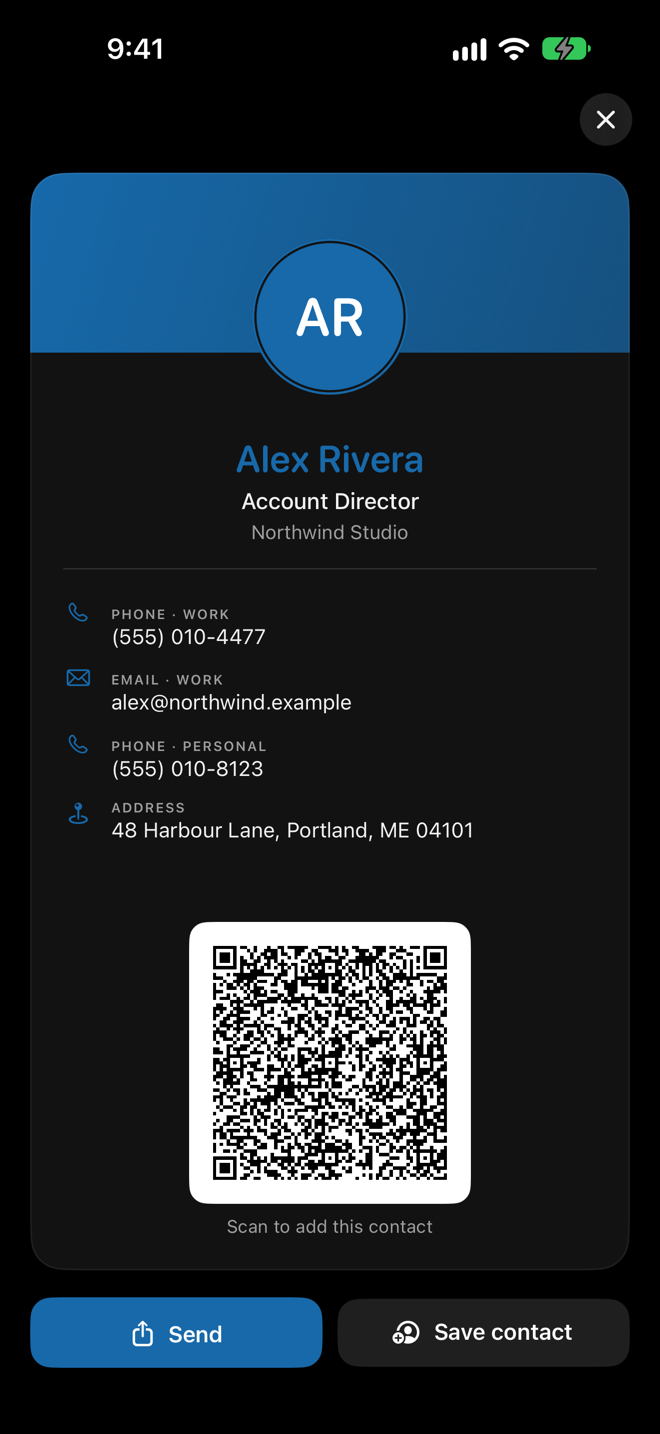
Keep a card for work, one for the range, one for the school run. The Home Screen widget shows whichever card you choose — set it once and it stays that card, even after a restart.
The QR code is generated on your phone from the card itself. There is no server, no lookup and no sign-in, so a dead zone changes nothing. The screen brightens while a card is showing so it scans first time.
No account, no analytics, no advertising identifiers, no third-party SDKs. Your cards and photos live in the app's own storage on your iPhone and go nowhere else.
Prefer to send it? Send hands the same card to AirDrop, Messages or Mail as a .vcf file.
One move, six seconds: the code goes up, their camera reads it, and the card lands in their contacts with the note you wrote for that meeting already inside it.
Click the scene to play it again. Prefer a clip? Download the six-second video.
No narration, no logo sting — just the screens you actually touch, in order.
Signpost ships three Shortcuts actions — Show Card, Get Card Contact and Get Card QR Code — so “Hey Siri, show my business card” brings the card up while your hands are full.
Click the scene to play it again. Download the seven-second clip.
The app collects nothing. There is no account and no server. It reads your address book only when you tap Fill from a contact, and writes to Contacts only when you tap Save contact. The QR code is generated on your device. Read the full policy.
A card is a set of facts you want the other person to still have tomorrow. During the flooding in Florida, one was used to hand out a damage-reporting help line: the organisation, the phone number, the website, and a line of instruction — saved straight into that person's Contacts, with no app to install and no signal needed at the door.
The note is typed for each share and never saved onto the card itself, so the next person gets a clean one. That is the whole reason a help line card works: it arrives with the reason attached.
Signpost Cards is on the App Store now. It is free, with no subscription and no in-app purchases, and the beta request form has been retired — download it and you have the same build testers got.
Signpost Cards on the App Store — no subscription, no in-app purchases, no account, no analytics. Your cards and photos stay on your iPhone.
Questions: support@conwayapps.com